
Every marketer knows UTMs. You tag a link, the visitor lands, and your analytics tell you which campaign, channel and creative brought them in. UTMs are the language we use to ask the question "where did this person come from?"
Far fewer marketers know the other parameter sitting right next to the UTMs on that same landing URL. It's called a click ID, and it answers a different and more valuable question: "how do I tell the ad platform this visit was worth paying for?"
If you're spending real money on Google, Meta or LinkedIn and you're not capturing click IDs, you are leaving the single most powerful lever in paid acquisition untouched. Here's why.
What a click ID is
When someone clicks your ad, the platform appends a unique token to the landing URL. Google calls it gclid. Meta uses fbclid. LinkedIn uses li_fat_id, Microsoft msclkid, TikTok ttclid. It looks like noise, and most analytics setups strip it or ignore it.
That token is the platform's receipt for the click. If you hand it back later and say "this click turned into something valuable," the platform matches it to the exact ad, audience, keyword and bid that produced it. That hand-back is called an offline conversion, and it is the mechanism the platforms themselves recommend for any business whose real conversions happen outside the browser.
UTMs are one-way: the platform tells you where traffic came from. Click IDs are two-way: you tell the platform which traffic mattered. That difference is the whole story.
Why this matters more in B2B than anywhere else
Every ad platform is now an optimization engine. You give it a conversion signal, it goes and finds more people who look like the ones who converted. Smart bidding, Advantage+, Predictive Audiences, all of it runs on the conversions you feed it.
The engine has an appetite. Google's own guidance is that a campaign needs roughly 15 conversions a month before its bidding models have enough to learn from, and more is better. Meta says much the same about its learning phase.
Now count your B2B conversions. Demo requests. Form fills. Maybe a handful a week, spread across campaigns. The algorithm is being asked to learn from a sample that would embarrass a first-year statistics student. So it does what any model does with too little data: it defaults to the cheapest clicks it can find, which in B2B means students, job seekers, competitors and people who will never buy.
This is the quiet reason paid B2B feels so inefficient. It isn't your creative or your targeting. It's that the platform is optimizing toward a signal that's too thin to steer by.
The signal you already have and aren't using
Here is the thing: your website is full of conversions you're not counting.
A visit from a company that fits your ideal customer profile is a conversion. Not a sale, not a demo, but a real, meaningful event that says "the ad reached the right kind of buyer." Those visits happen dozens or hundreds of times for every form fill. They are exactly the volume the algorithm is starving for.
The problem has always been that you couldn't see them. The visitor didn't fill anything in, so you had no idea who they were, and without knowing who they were you had no way to judge whether the click was worth anything.
Visitor identification changes that. Once you can resolve an anonymous visit to a company, and often to a person, you can judge every click, not just the ones that ended in a form. And if you held onto the click ID from that visit, you can send it back to the platform as a conversion called something like "ICP site visitor."
Do that consistently and you've replaced a trickle of form fills with a steady stream of qualified-visit conversions. The algorithm finally has something to learn from, and what it learns is what your best-fit buyers look like.
What happens when you do
A performance marketing agency we work with runs paid acquisition for a B2B software company. Their campaigns were producing one or two visits a day from companies that fit the client's profile. Then they started treating every identified ICP visit as a conversion and sending its click ID back to Google.
Within a few weeks, the same budget was producing ten to fourteen a day.
Nothing else changed. Same spend, same creative, same landing pages. The only difference was that the platform finally knew who it was supposed to be looking for.
What it takes
Three things, and most teams have two of them already.
- Capture the click ID on the landing visit. It's in the URL. It has to be read before the visitor navigates away or your consent tooling strips it.
- Know who the visitor is. Without identification, a click ID is just a click. With it, you can decide whether that click reached someone worth paying for.
- Get the ID somewhere your ad tooling can use it. HubSpot's Ads tool will upload offline conversions for you if the click ID lands on the contact. Otherwise you send it through the platform's conversion API, with the time of the visit attached.
The hard part has always been step two. The rest is plumbing.
We built this into Knock2, for every plan
Knock2 identifies the companies and people visiting your website. As of this month, it also captures the click ID on every identified visit and carries it everywhere the visitor's data already goes.
Captured automatically
Google (including the iOS variants), Meta, LinkedIn, Microsoft and TikTok click IDs are read from the landing URL by the Knock2 script, with no changes to your site or your tags. UTMs aren't required; a Google auto-tagged landing with nothing but a gclid still counts.
Stored on accounts and contacts
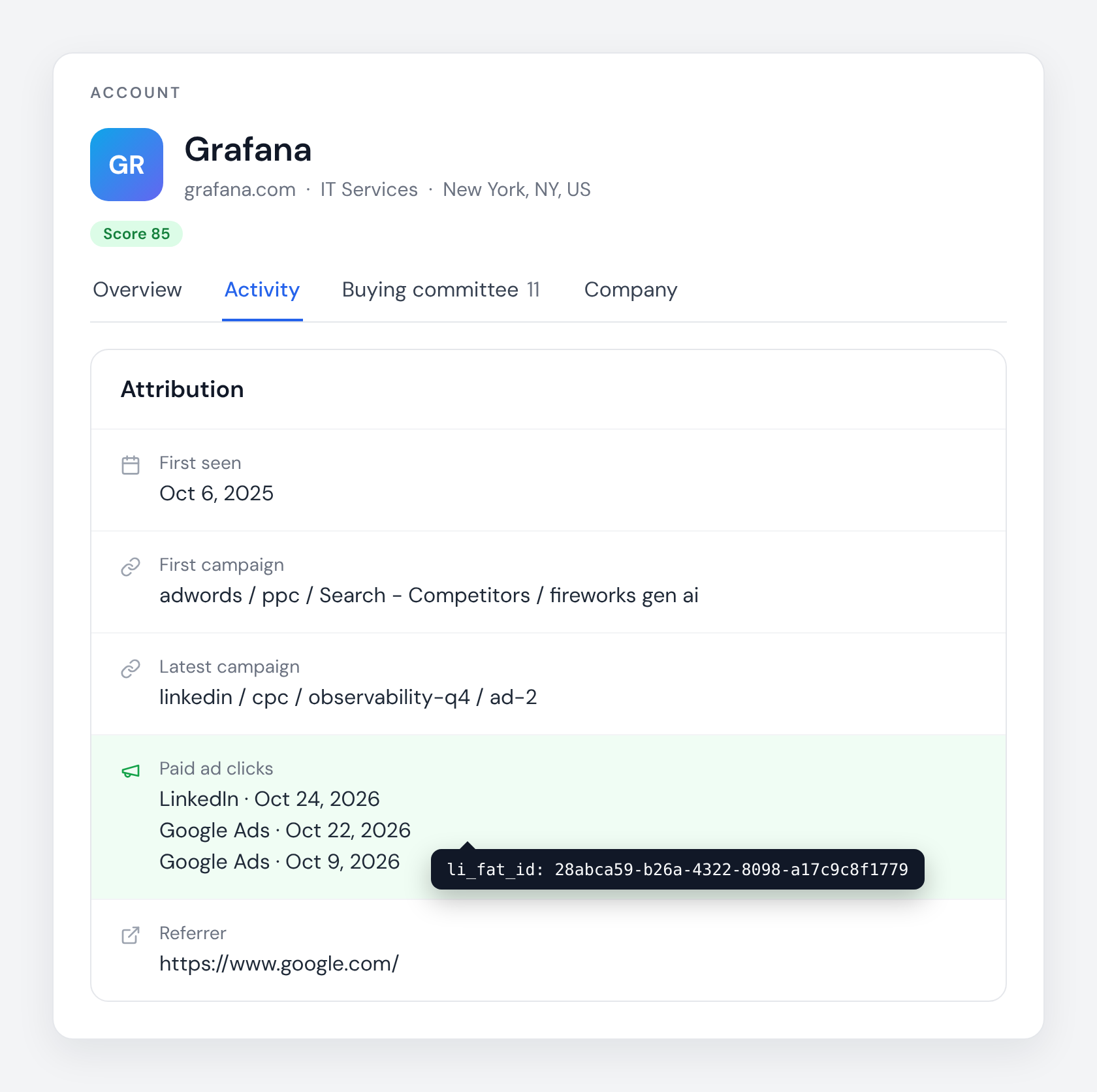
A click belongs to the visit, not the person, so Knock2 keeps it on the account as well as the contact. Since the company behind a visit resolves far more often than the individual, accounts are where most of your click IDs will land, and that's where the volume is. Every click is kept, with the time the visit started, so a buyer who arrived from a Google ad one week and a LinkedIn ad the next has both on record.
Visible in the dashboard
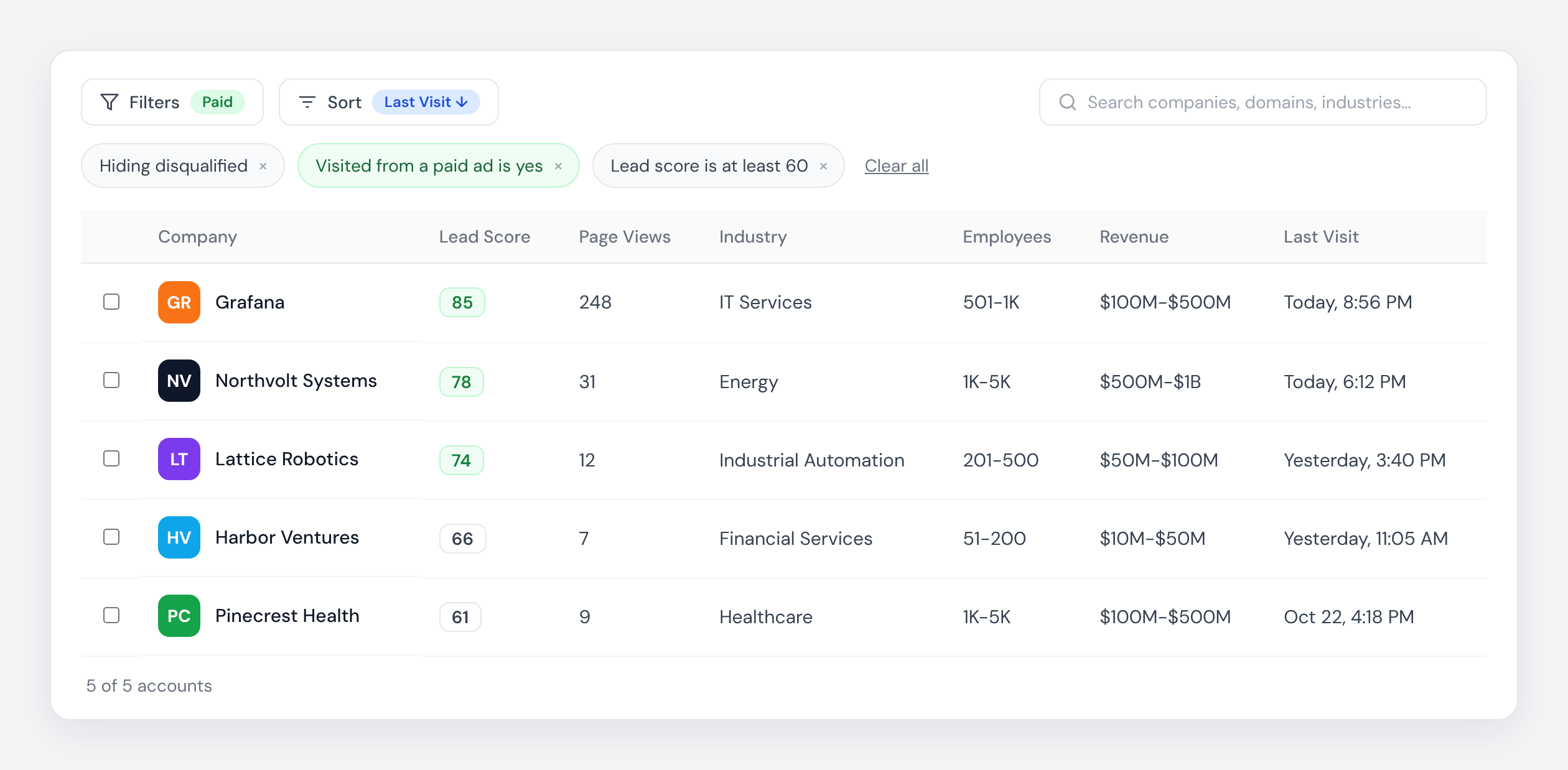
Open any account or contact and the Attribution card shows each paid click, newest first, platform and date, with the ID a hover away. Filter either tab by "Visited from a paid ad" to see every record your campaigns produced, and combine it with your lead score to see which campaigns produced buyers rather than browsers.
Mapped to your CRM
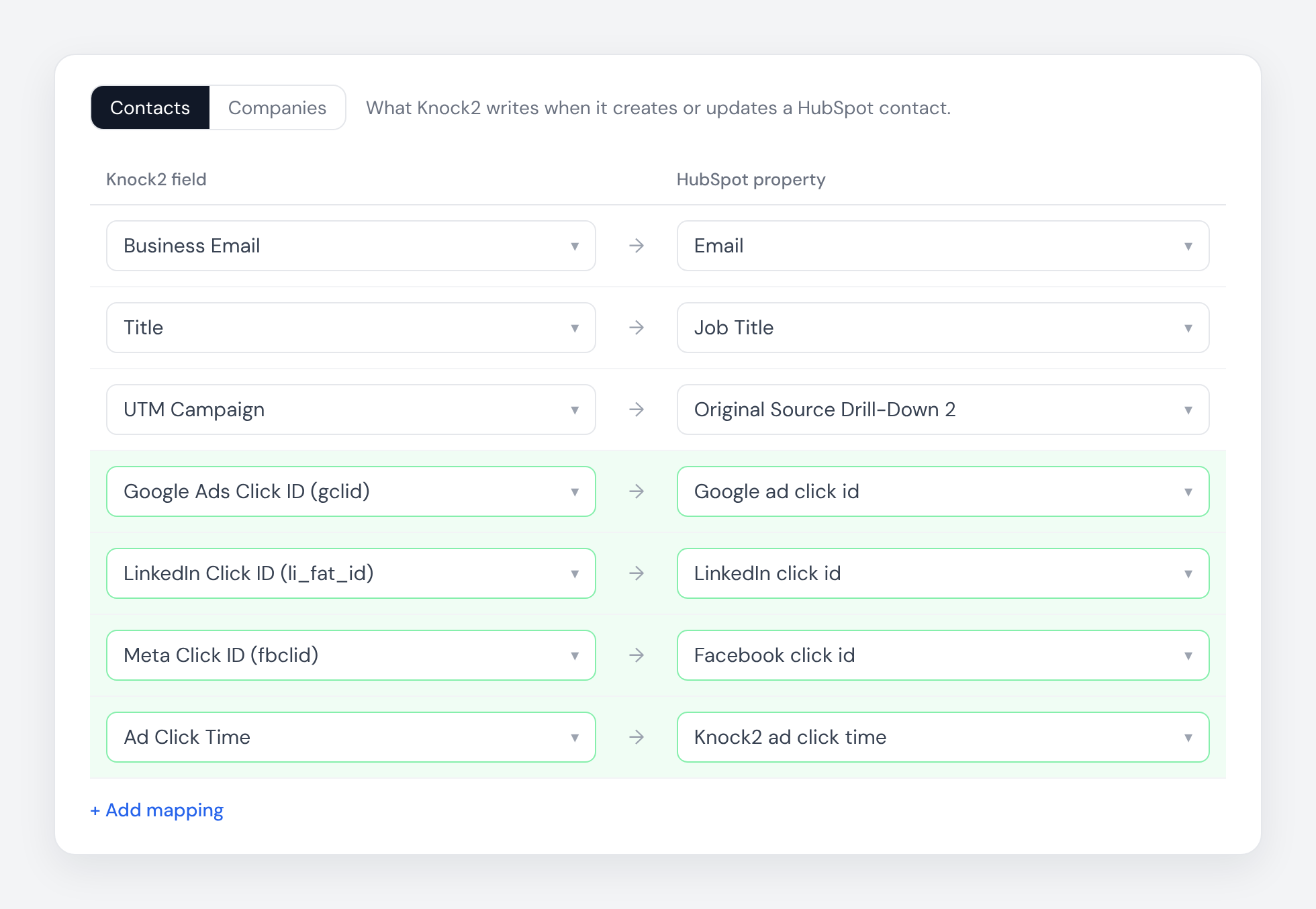
The click IDs, the click time and the platform are offered as source fields in Knock2's HubSpot and Salesforce field mapping. Map them onto HubSpot's native Google, Facebook and LinkedIn click ID properties and HubSpot's Ads tool can sync offline conversions back to the platforms for you. Nothing is mapped unless you choose it.
In webhooks, the API and MCP
Every contact and account payload carries the latest click, its time and its platform, and the full touch history underneath. If you'd rather upload conversions yourself, or have an AI assistant reason about which campaigns are reaching your ICP, it's all there.
On every plan
Click ID capture is part of identification, not an add-on. If you're already a Knock2 customer, the click IDs are already on your records. Open an account that came from a paid campaign and look at the Attribution card.
Two pieces of advice from building it. Gate your uploads on fit, not on identification alone: use the lead score or an account filter to decide what counts as an ICP visitor before you send anything back, because the platform will optimize toward whatever you tell it was good. And upload each click once; if two systems are both sending conversions, de-duplicate first.
If you're not a Knock2 customer yet, this is a good reason to see what your paid traffic actually looks like once you can put names to it. Start a free trial and open the Attribution card on your first identified account.


